
Dashboard Features Duplicates Privacy Pricing Try free — 15 days
Version 1.0 · Native Swift · macOS 14+

A file manager that knows what’s on your disk.

Browse, search, rename in bulk and play — with a dashboard that shows where every gigabyte went, and says how it knows. No Electron, and your files never leave your Mac.

Then $14, once · Apple silicon

16dashboard cards,
your order
9batch-rename steps,
shown before they run
0.2 stempo analysis
per track
0files uploaded
to anyone, ever
FileInize — Dashboard
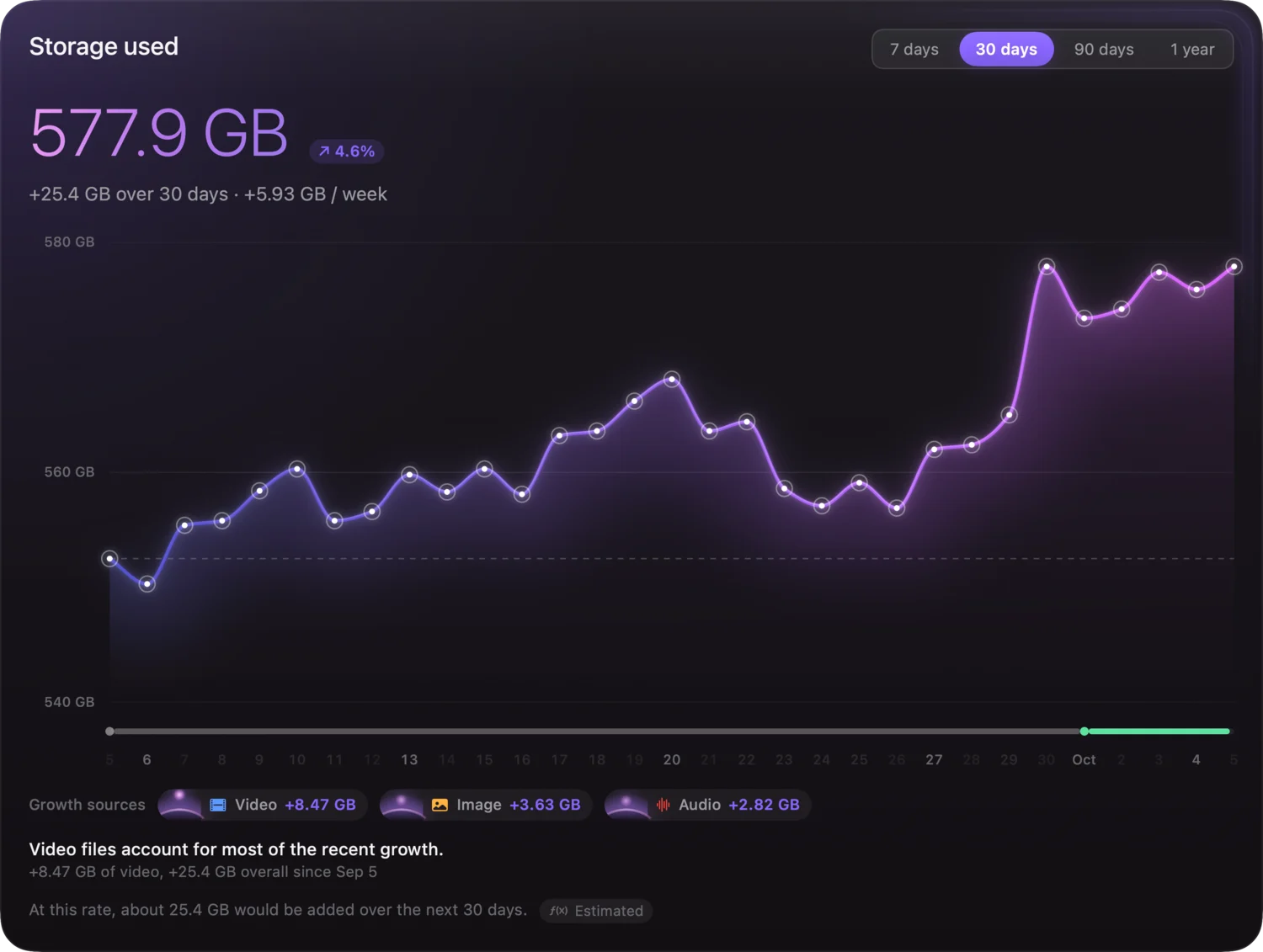
The FileInize dashboard: storage used over time, a card for the disk, recently modified files.
Index is currentKept fresh by FSEvents
↑ 7.9 % in 30 days41.37 GB added since last month
Find duplicatesThree passes, nothing deleted
The file manager

Every folder, made to be looked at.

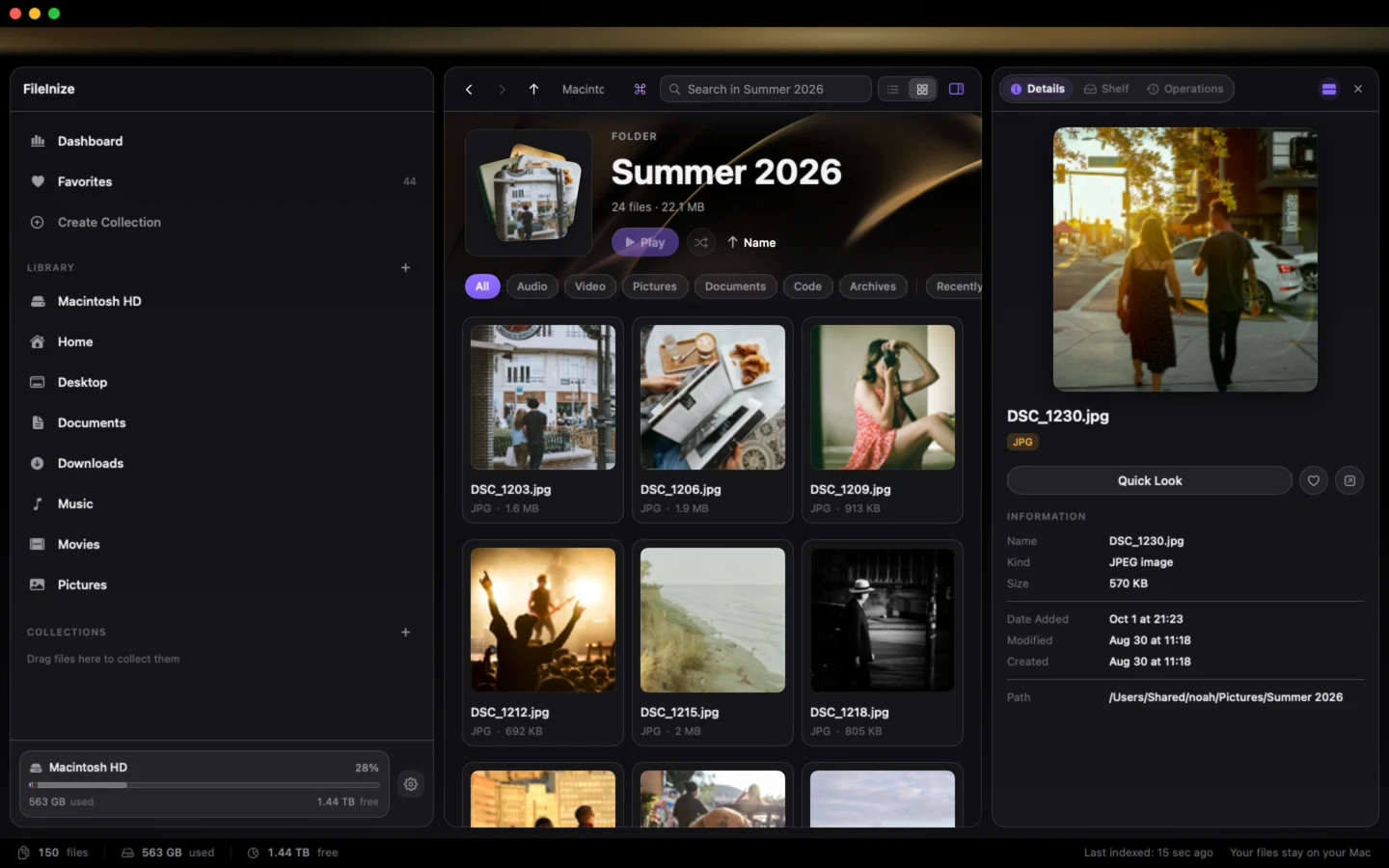
Thumbnails drawn from the files themselves, a panel that knows what each one is, and a player that stays out of the way. This is the real window, not a mock-up.

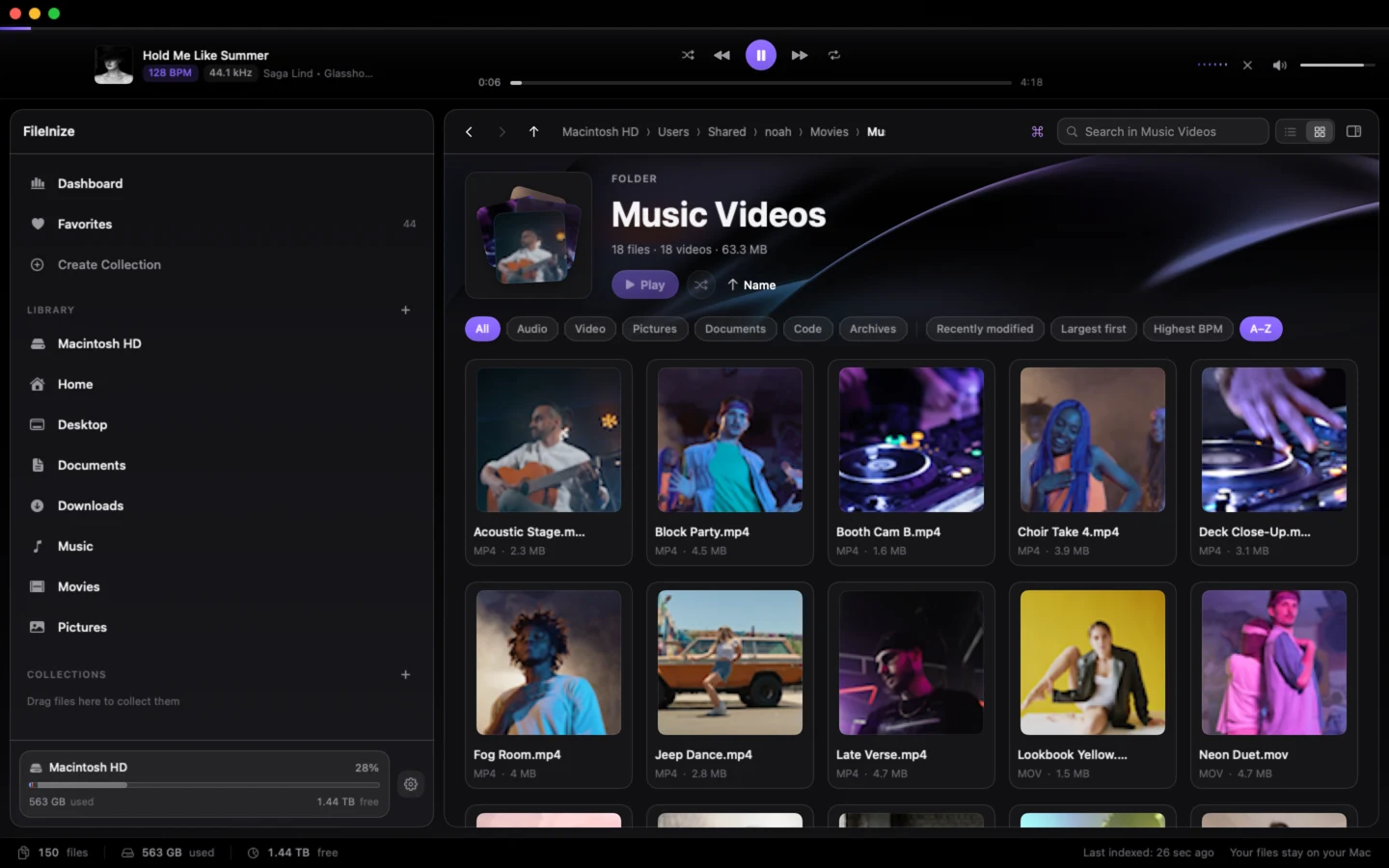
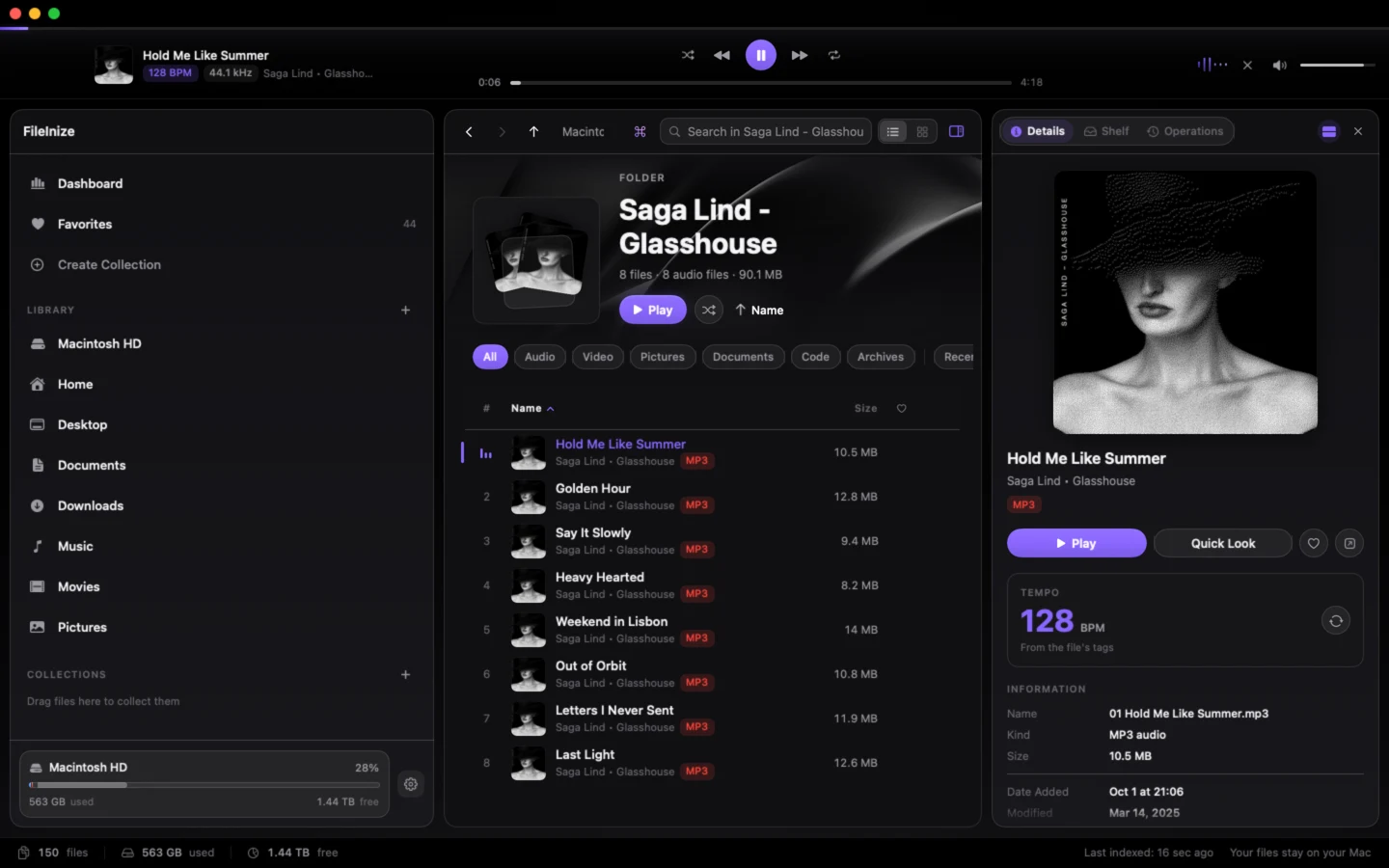
FileInize showing a folder of photographs as thumbnails, with one open in the details panel. FileInize in a folder of video clips: every clip shown as a frame drawn from the video itself. FileInize with an album open, a track playing in the deck and its tempo in the details panel.
Real thumbnailsPhotos, covers and clips at a glance
Everything in one panelName, kind, size, dates and path
Quick LookPreview any file without opening it
Same photo twice?Duplicates found by bytes, not names
A frame from every clipDrawn from the video, not a generic icon
Filter by kindAudio, video, pictures, code, archives
Press space to playThe built-in player, without leaving the folder
Sort your wayRecently modified, largest first, A–Z
128 BPMFrom the file’s tags, or read from the audio
Built-in playerA deck that follows the queue
Cover artEmbedded artwork, shown on every track
Level meterMoves with whatever is playing
Built-in player

Press space. The folder plays.

Open a folder, press play. The deck follows the queue, shows every track’s tempo — read from its tags, or estimated from the audio itself — and keeps the level meter moving while you work.

Hold Me Like Summer Saga Lind · Glasshouse 128 BPM
0:00
3:42

An illustration: the artists and albums are invented, and the level meter is drawn, not listening.

Dashboard

Honest numbers, or none at all.

A local index walks your disk once and keeps itself current. Every card says where its figures came from — measured, observed or estimated — and nothing is invented to fill a gap.

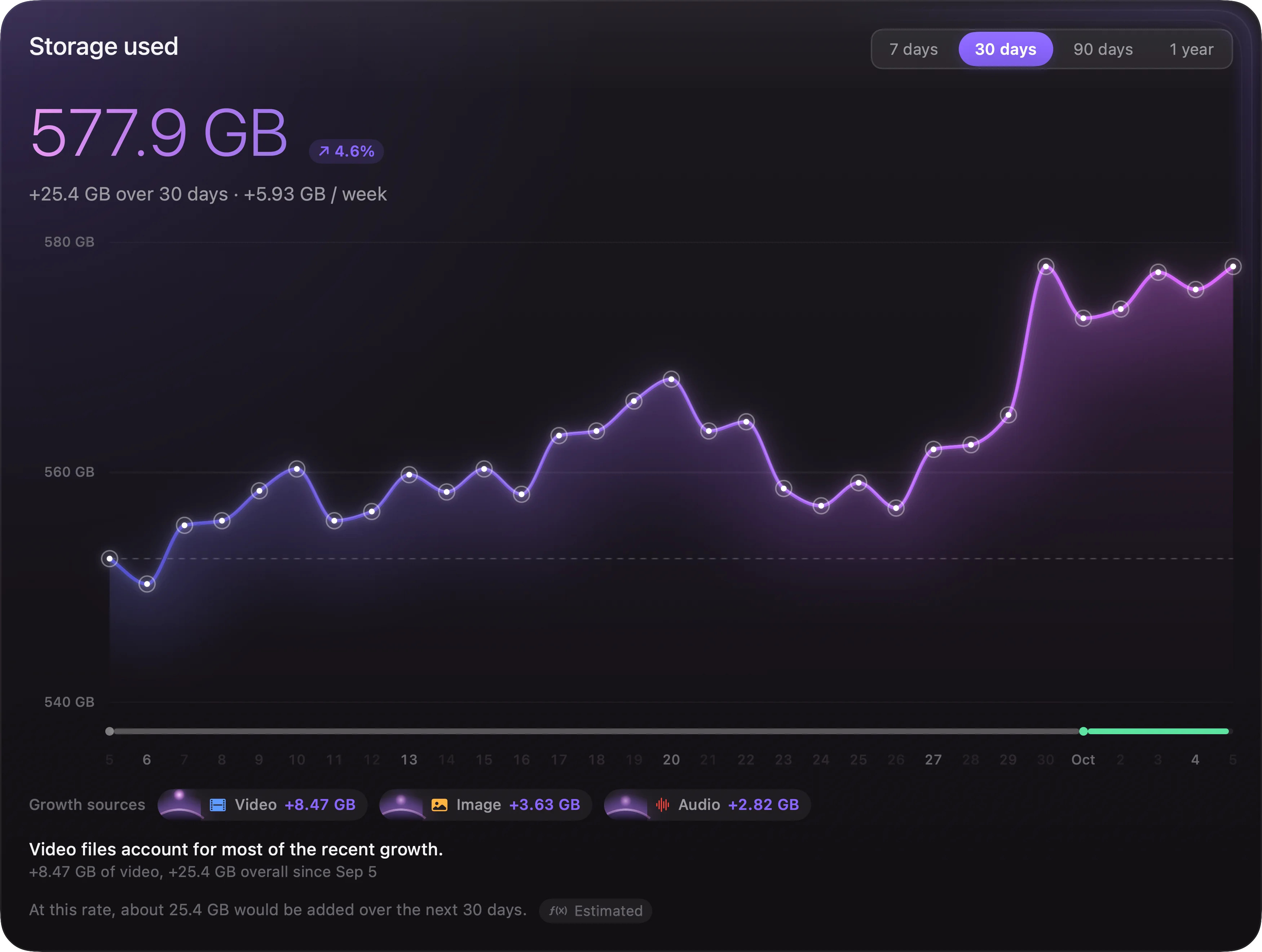
  1. Storage over time measured

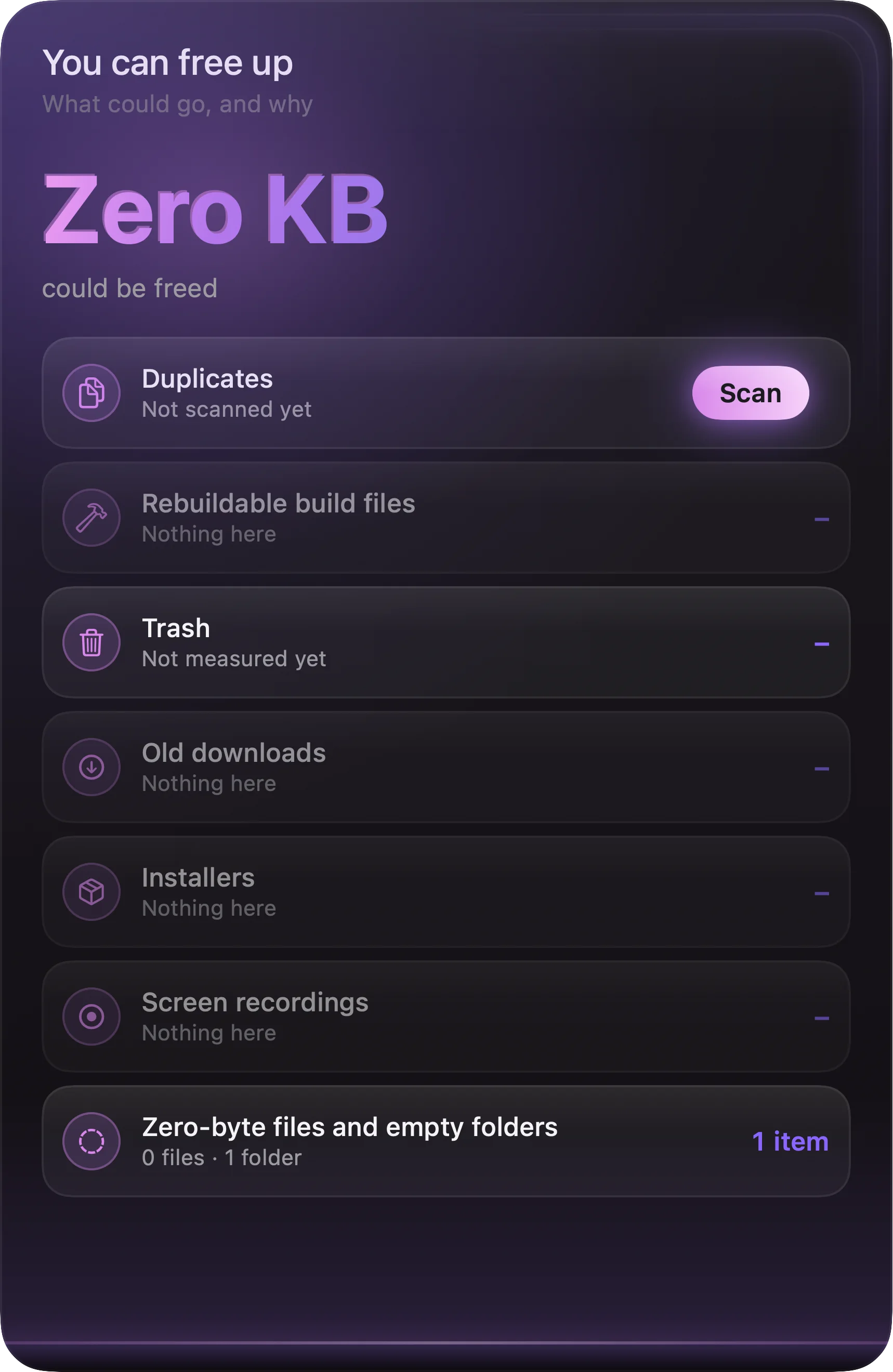
    Change needs two readings. On day one there is only one, so the card says so — in those words — instead of drawing a flat line and calling it a trend. Beside it, what could realistically be freed, by category — every row says how it knows.

    Storage used, with the change over the last month, beside what you can free up
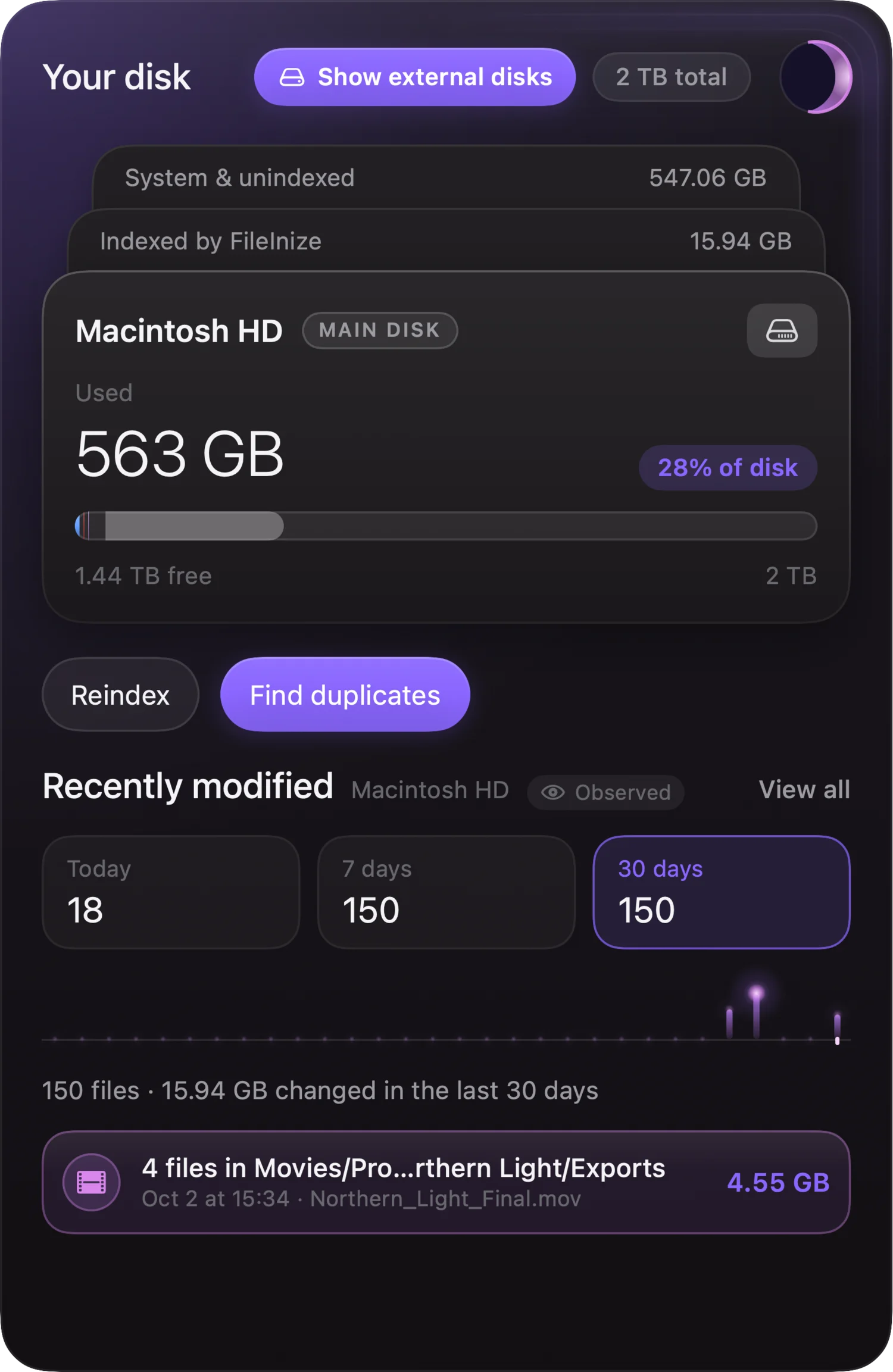
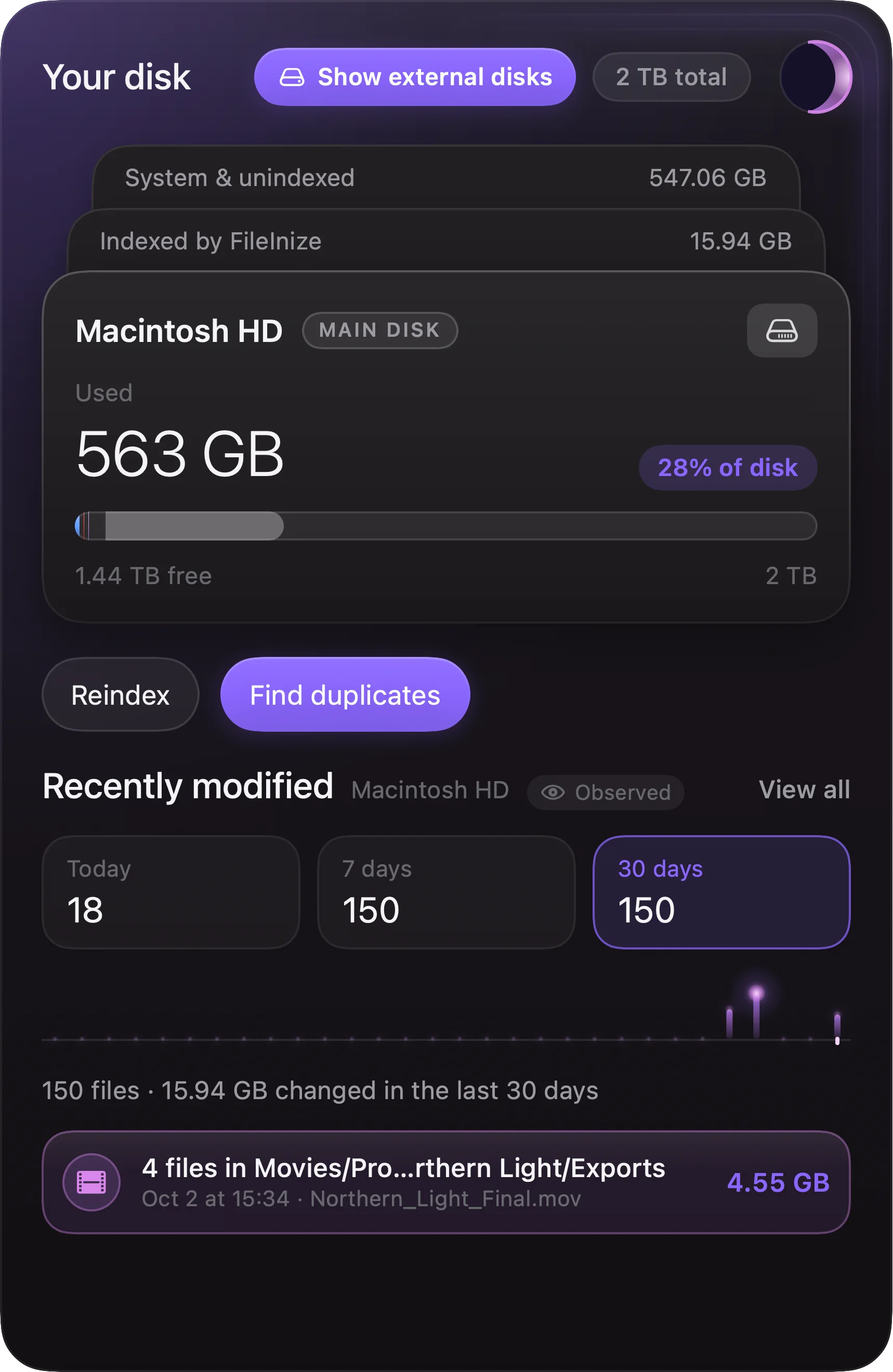
  2. Your disk measured

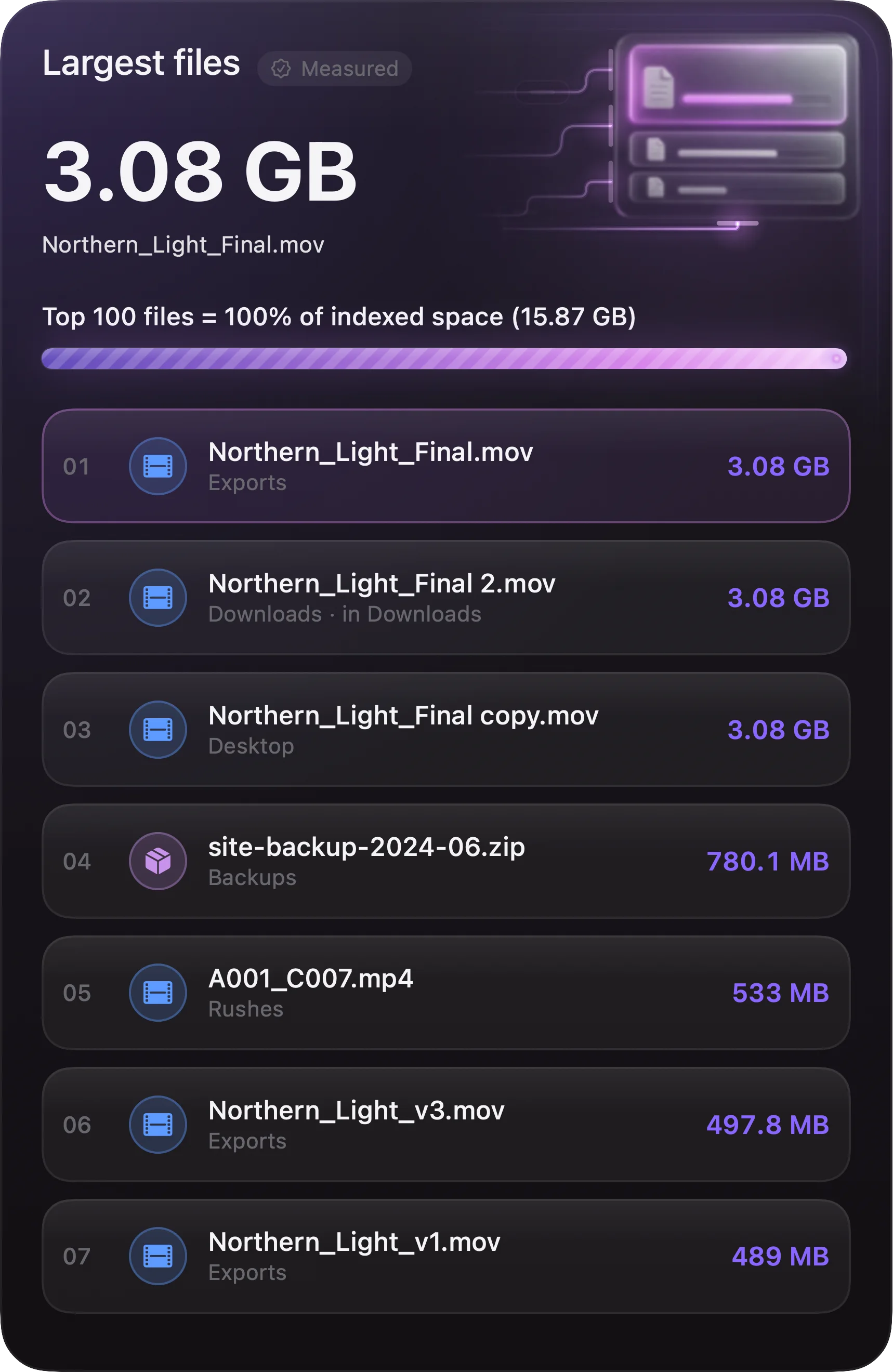
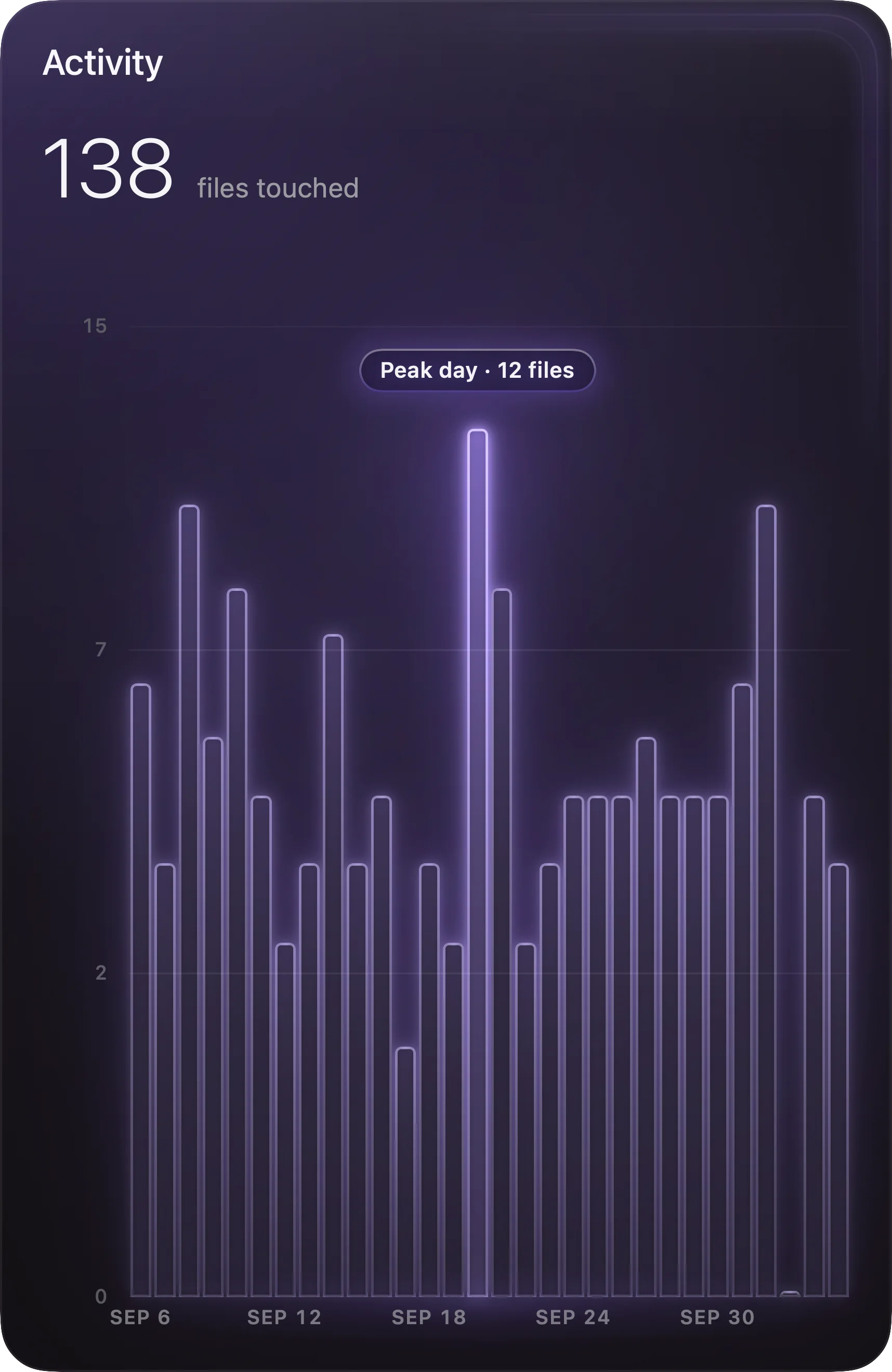
    System, indexed and free space in one glance — plus a duplicate hunt one click away, the largest files and a day-by-day picture of what changed.

    The disk card
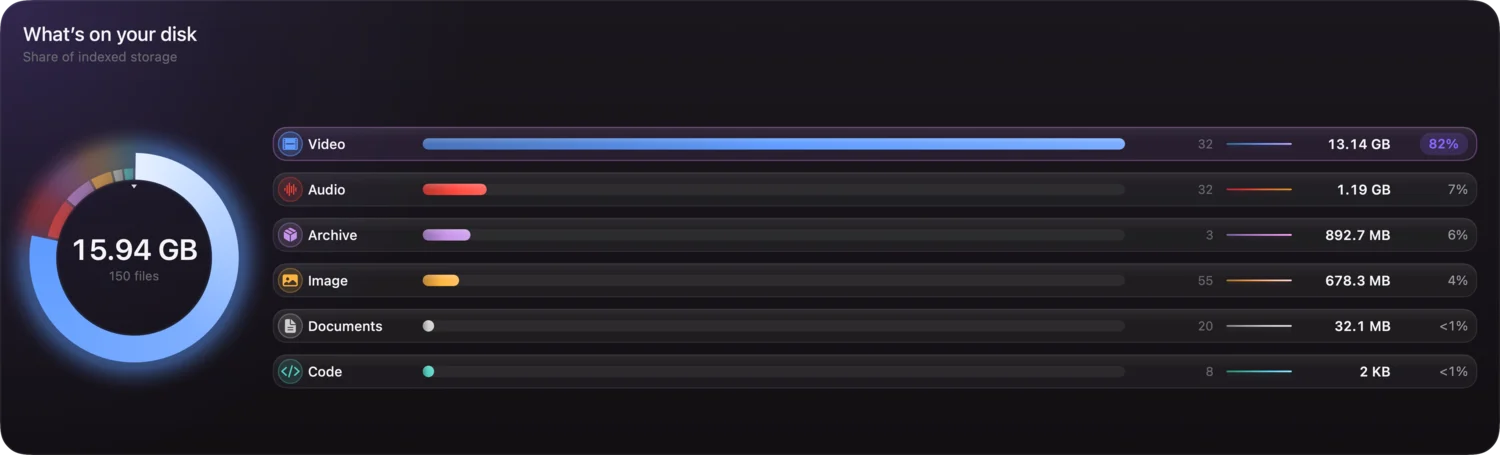
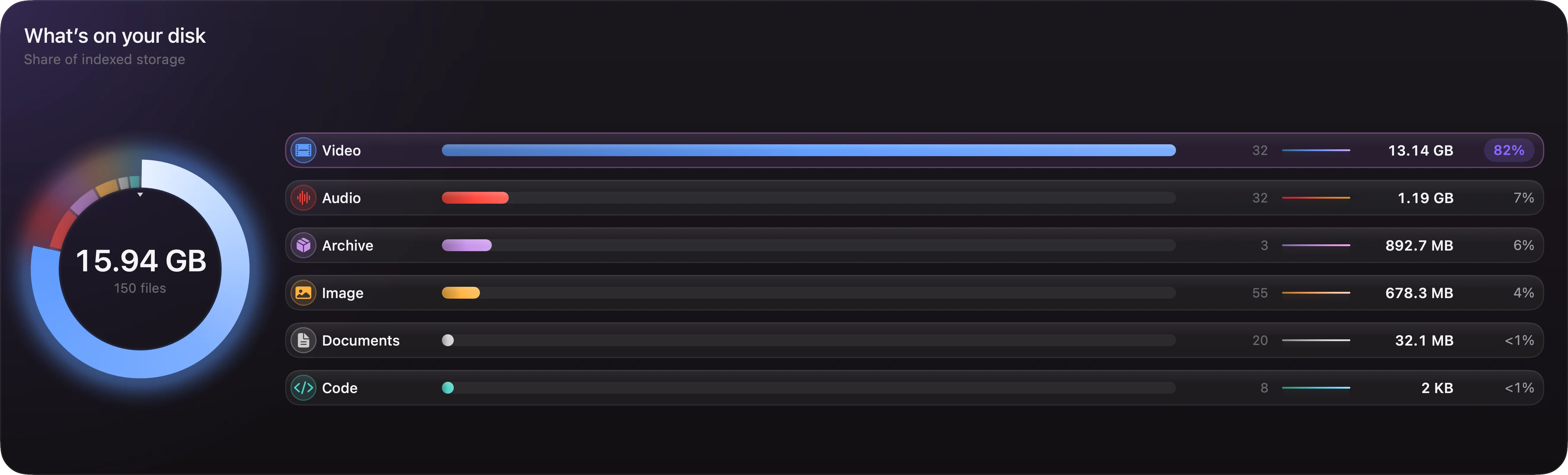
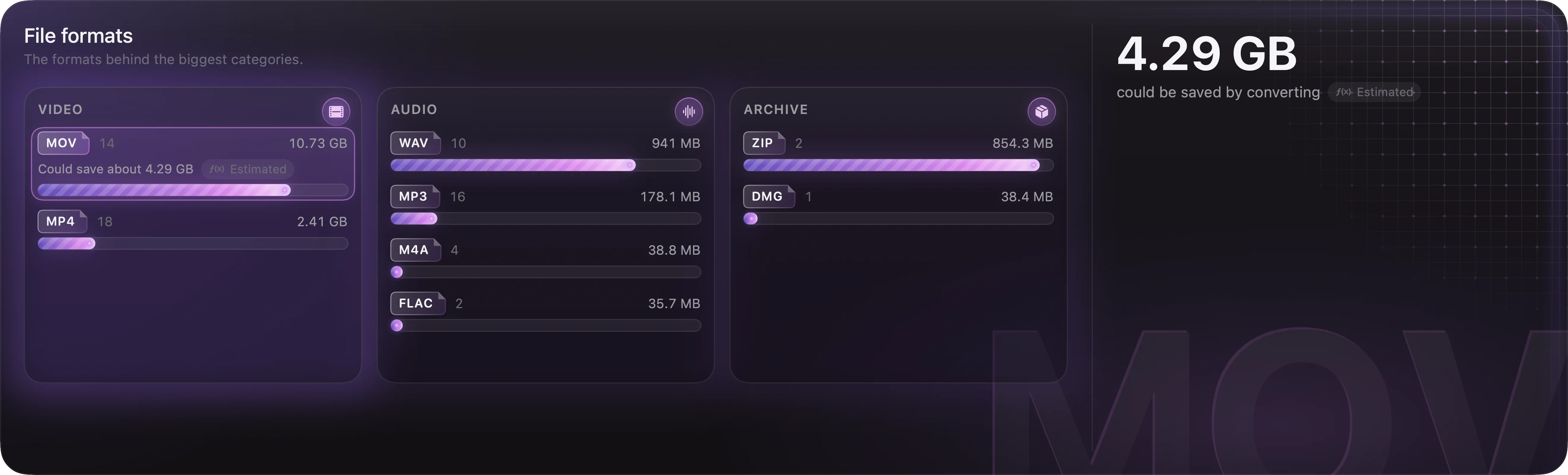
  3. What’s on it measured

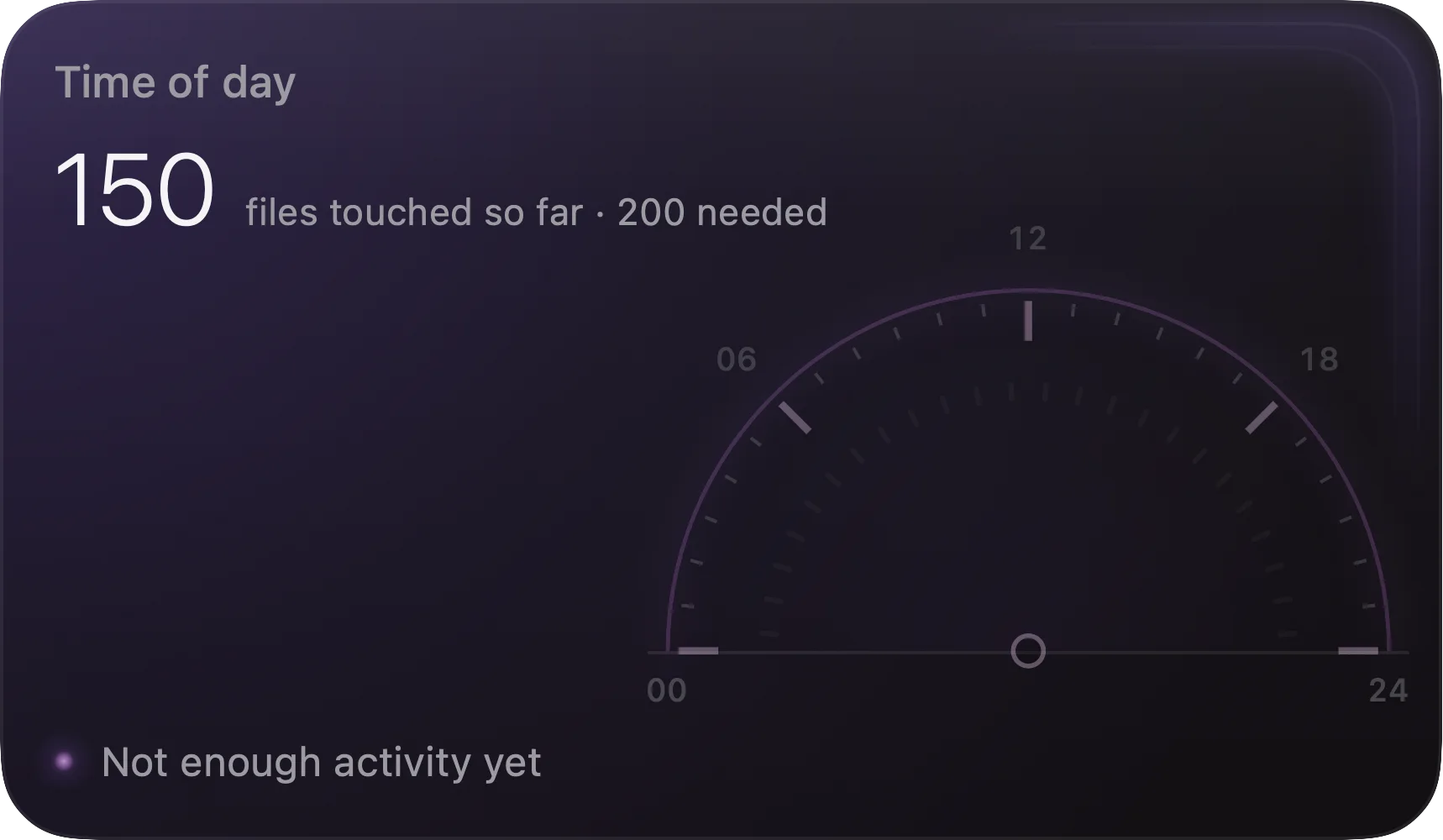
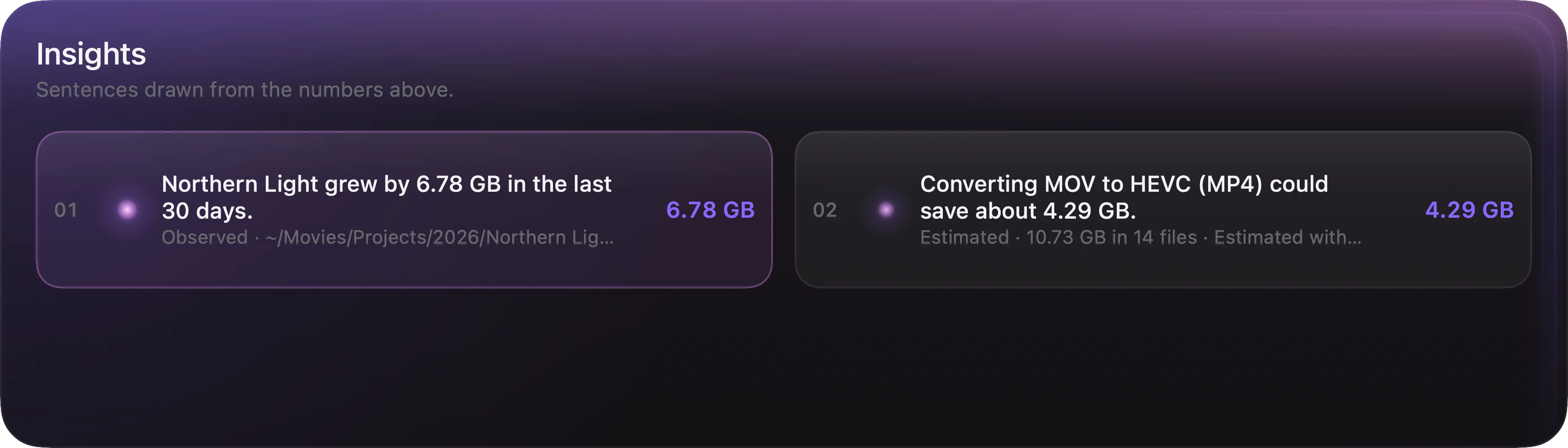
    Storage by kind, the hours of the day your files were last touched, and insights written as plain sentences — never advice to delete.

    Storage by file kind
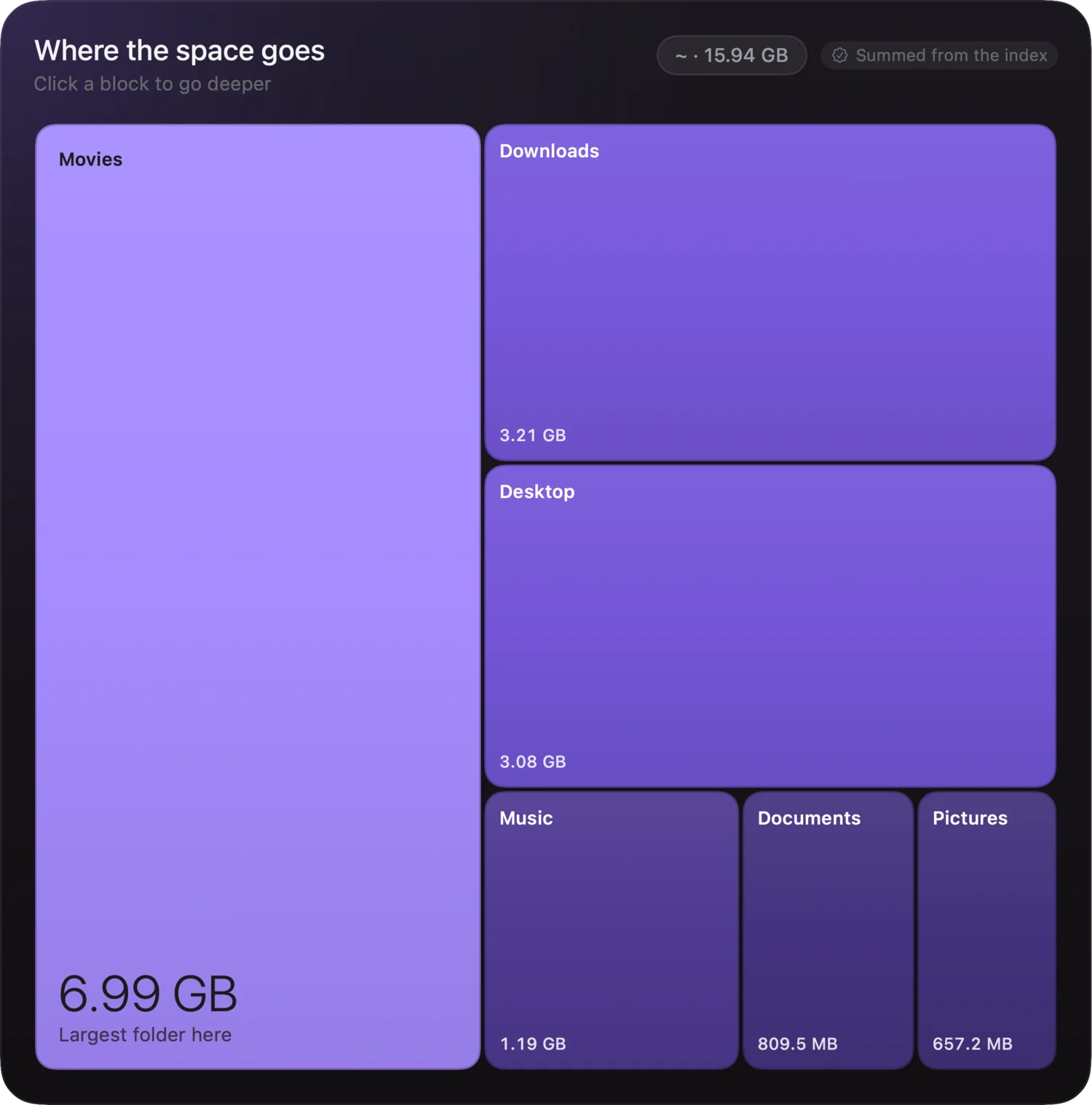
  4. Where the space goes measured

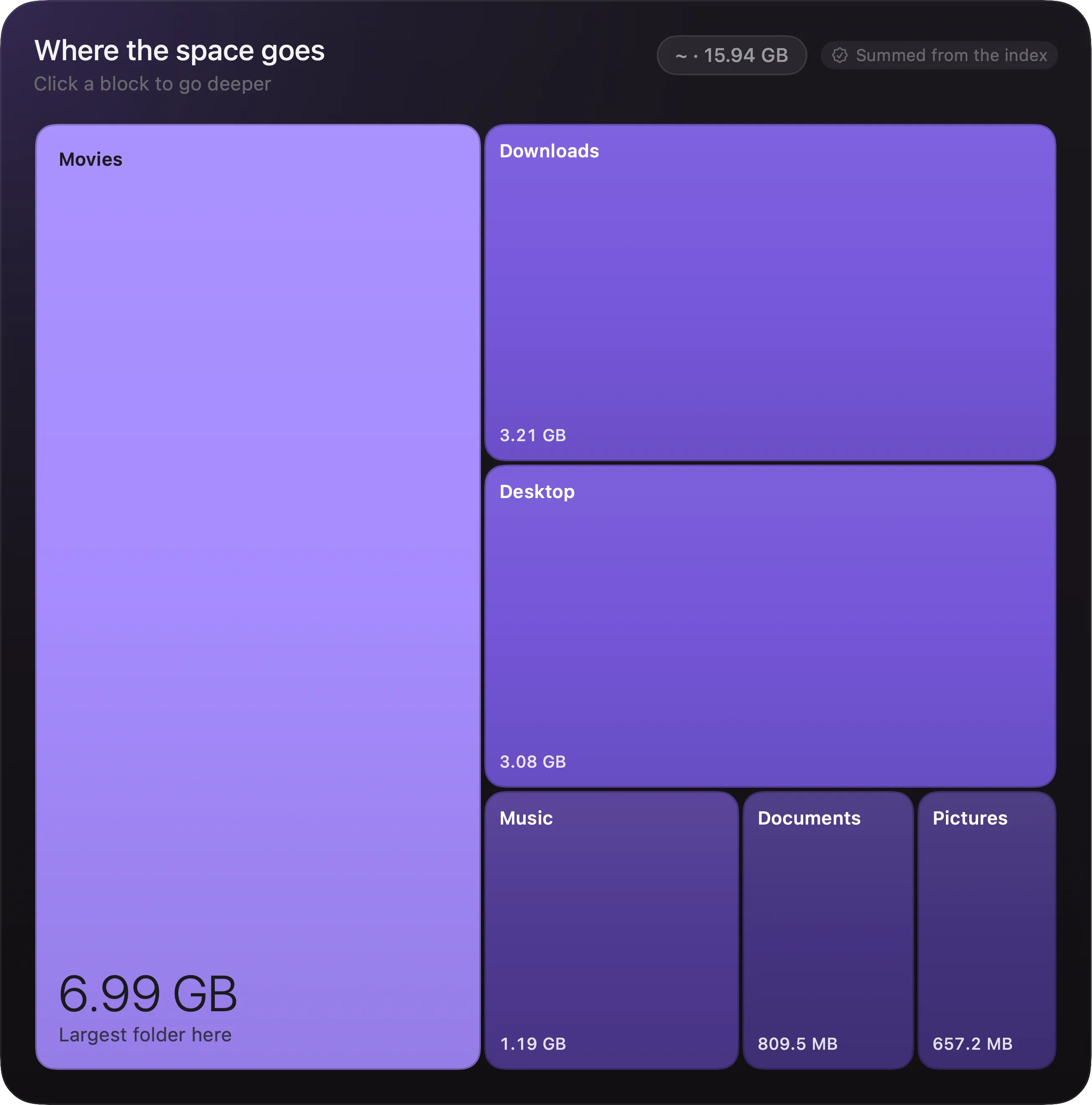
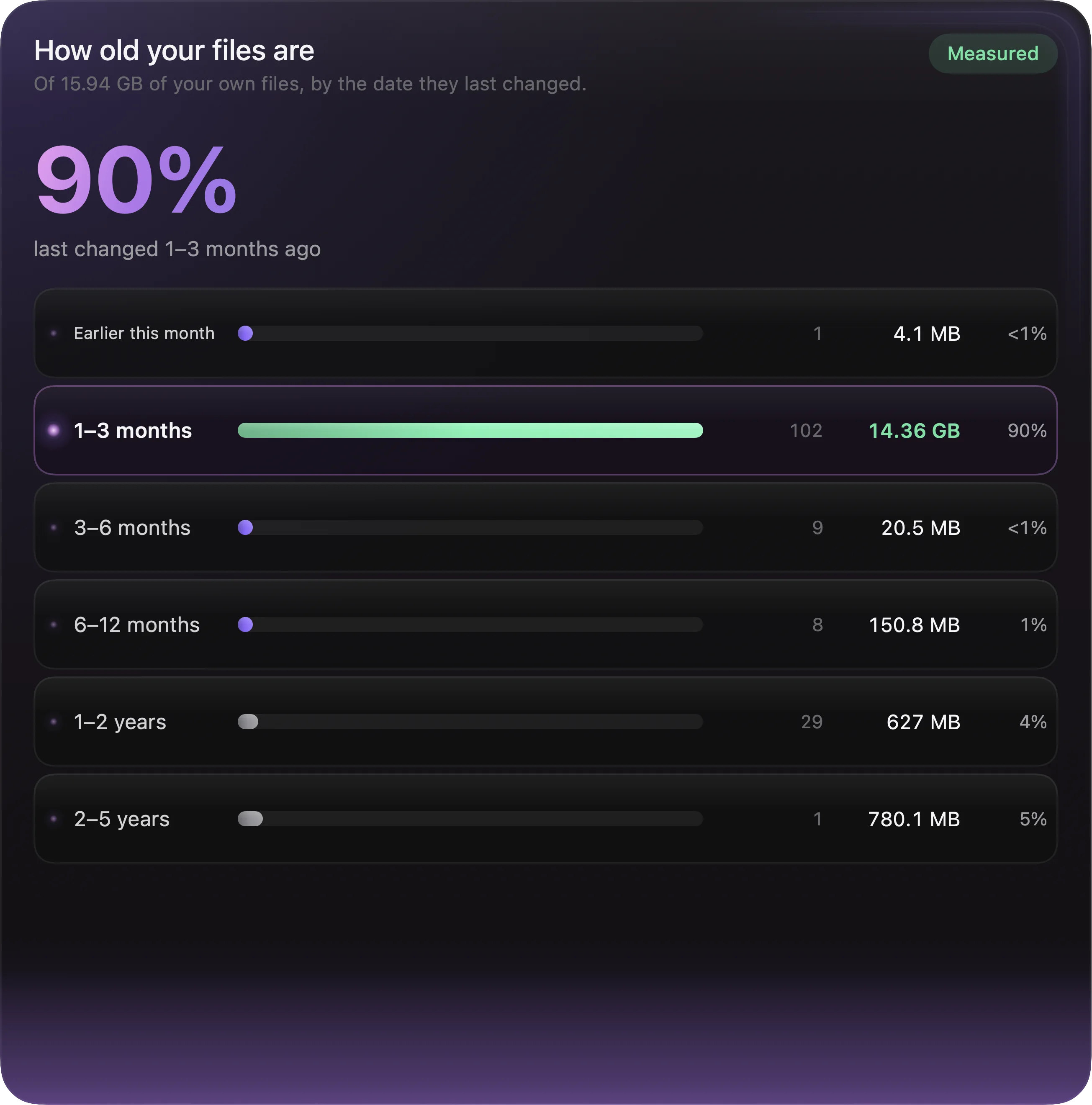
    A map of folder sizes you can click into, beside how long it has been since your files last changed.

    A map of folder sizes
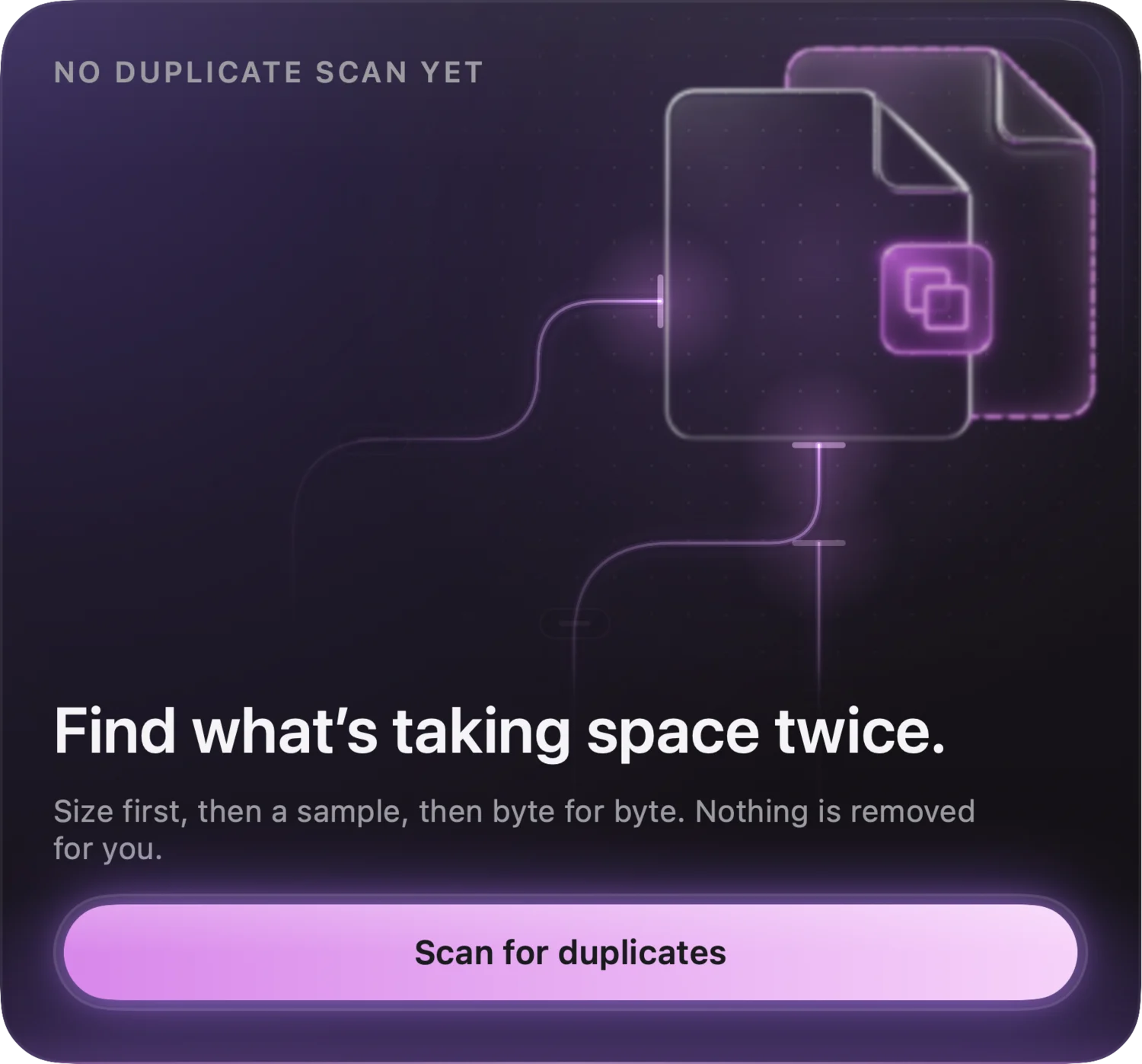
  5. Worth a look, and duplicates measured

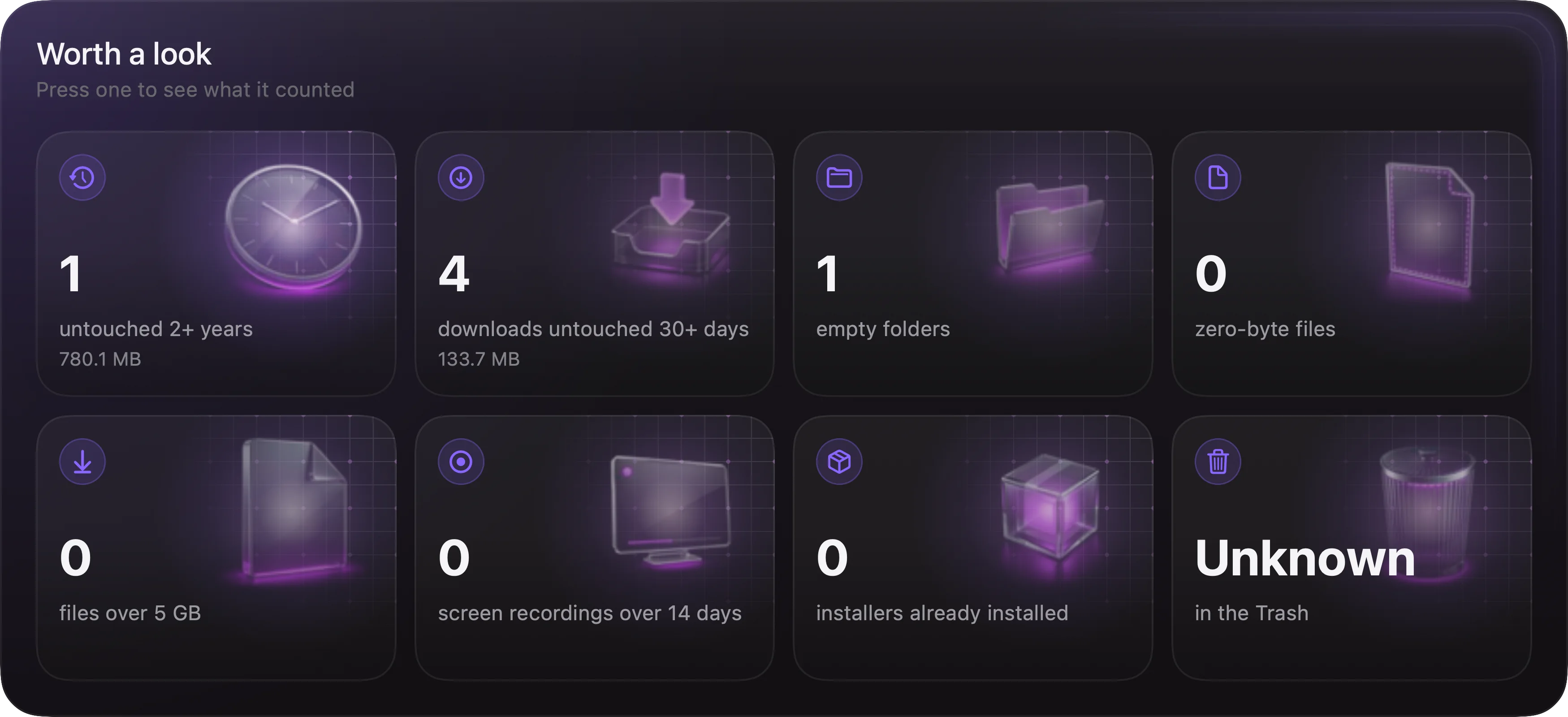
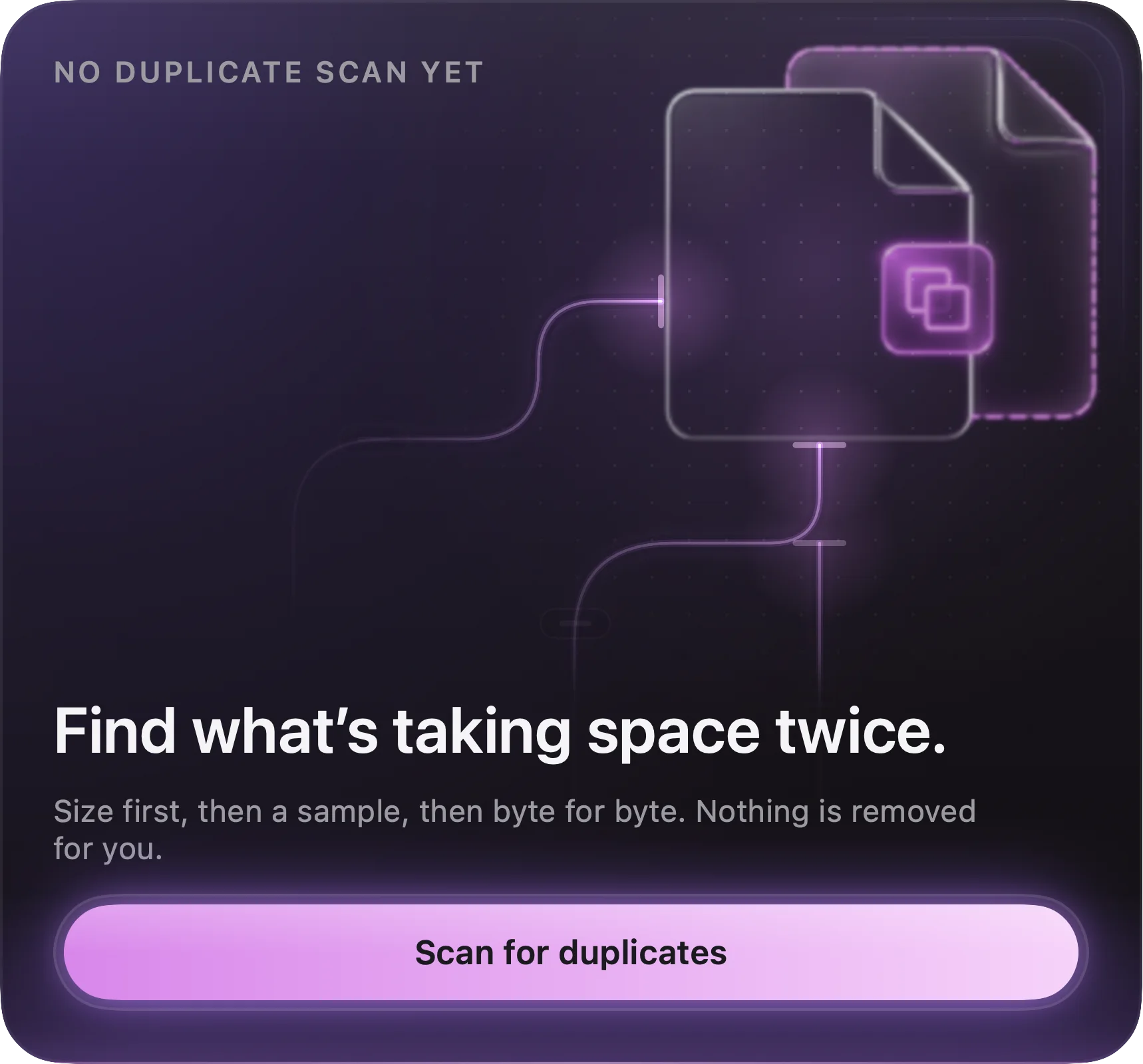
    Stale, empty and unusually large files — and a duplicate hunt that reads bytes, not names.

    The duplicate hunt card
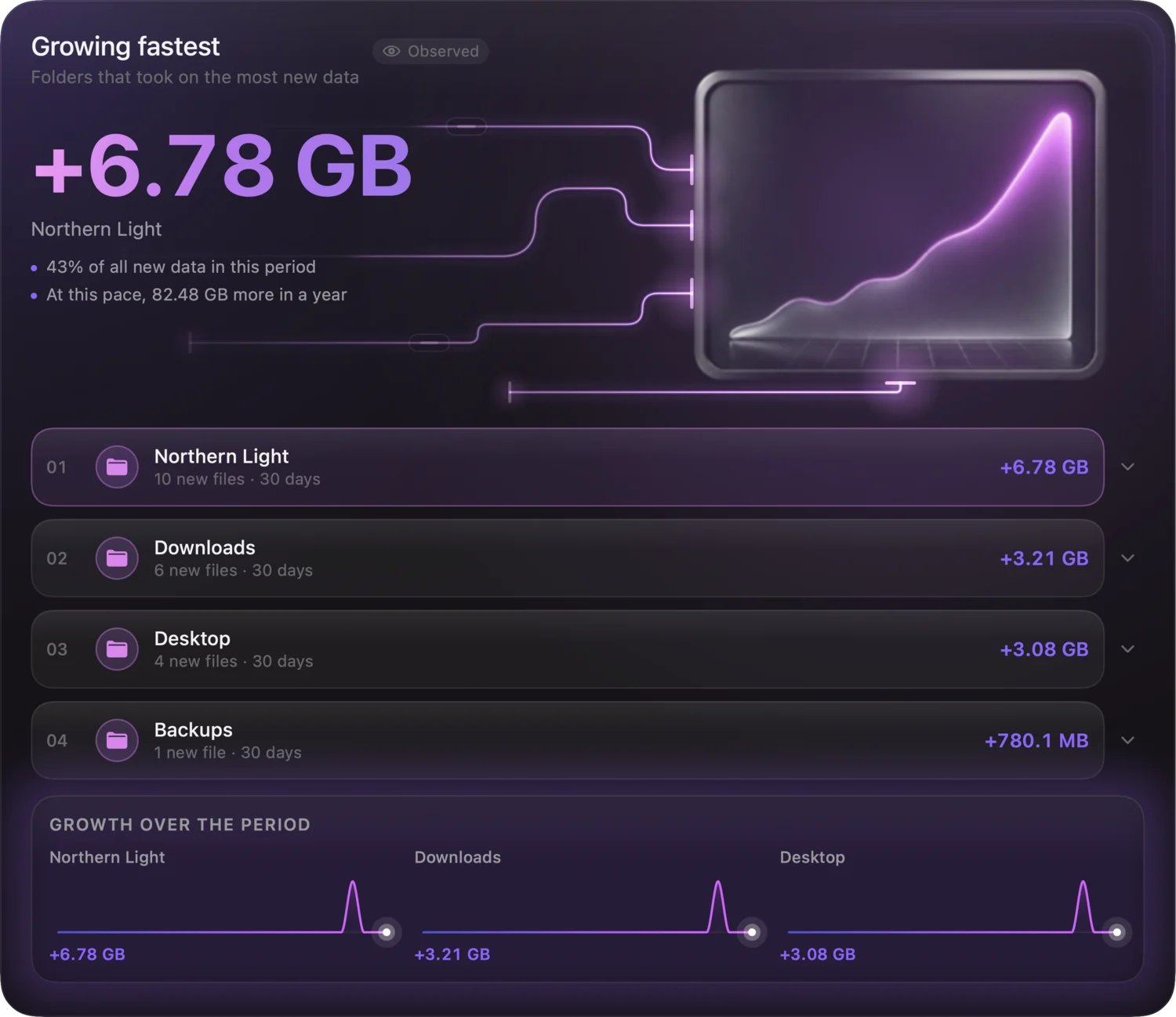
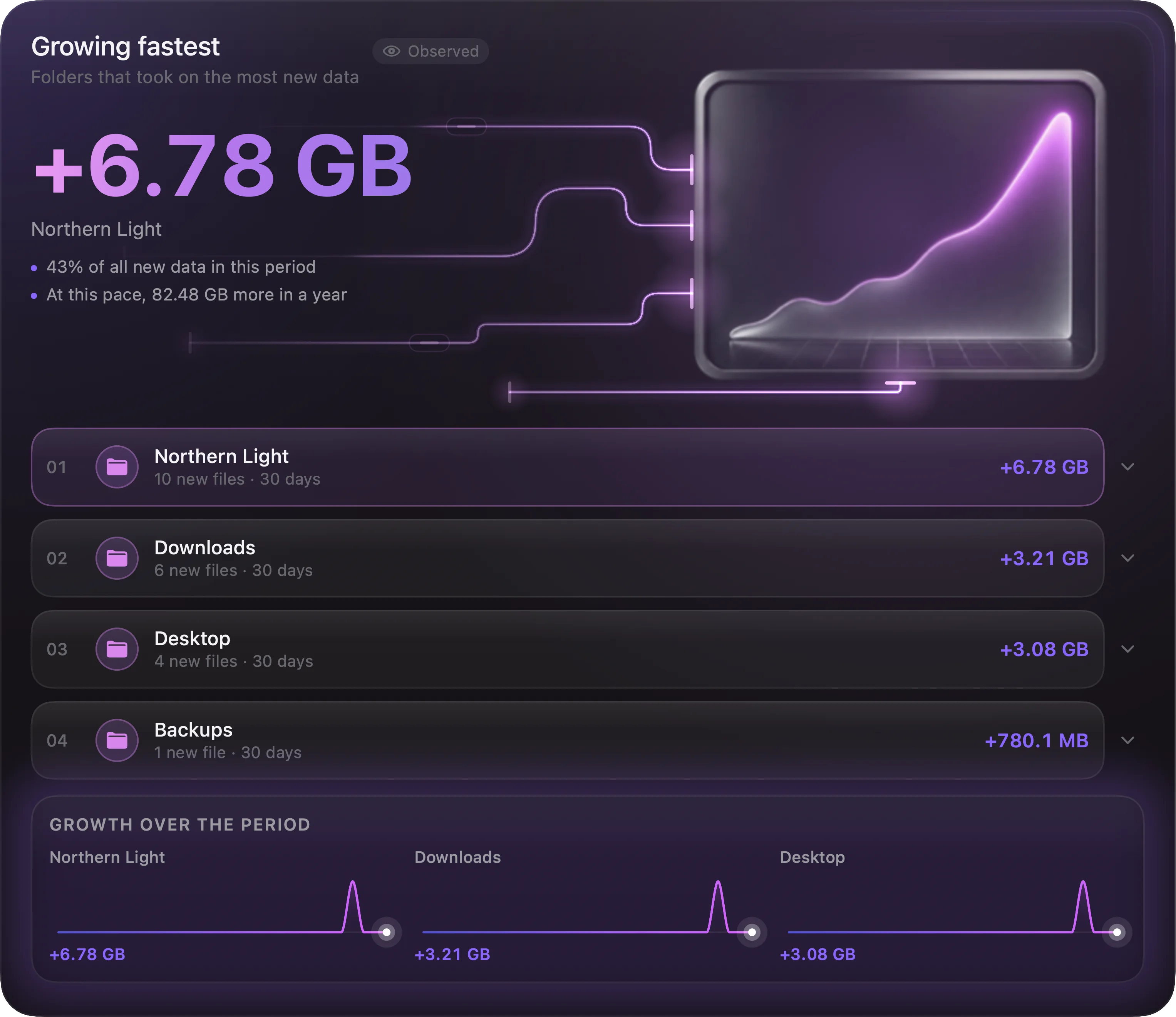
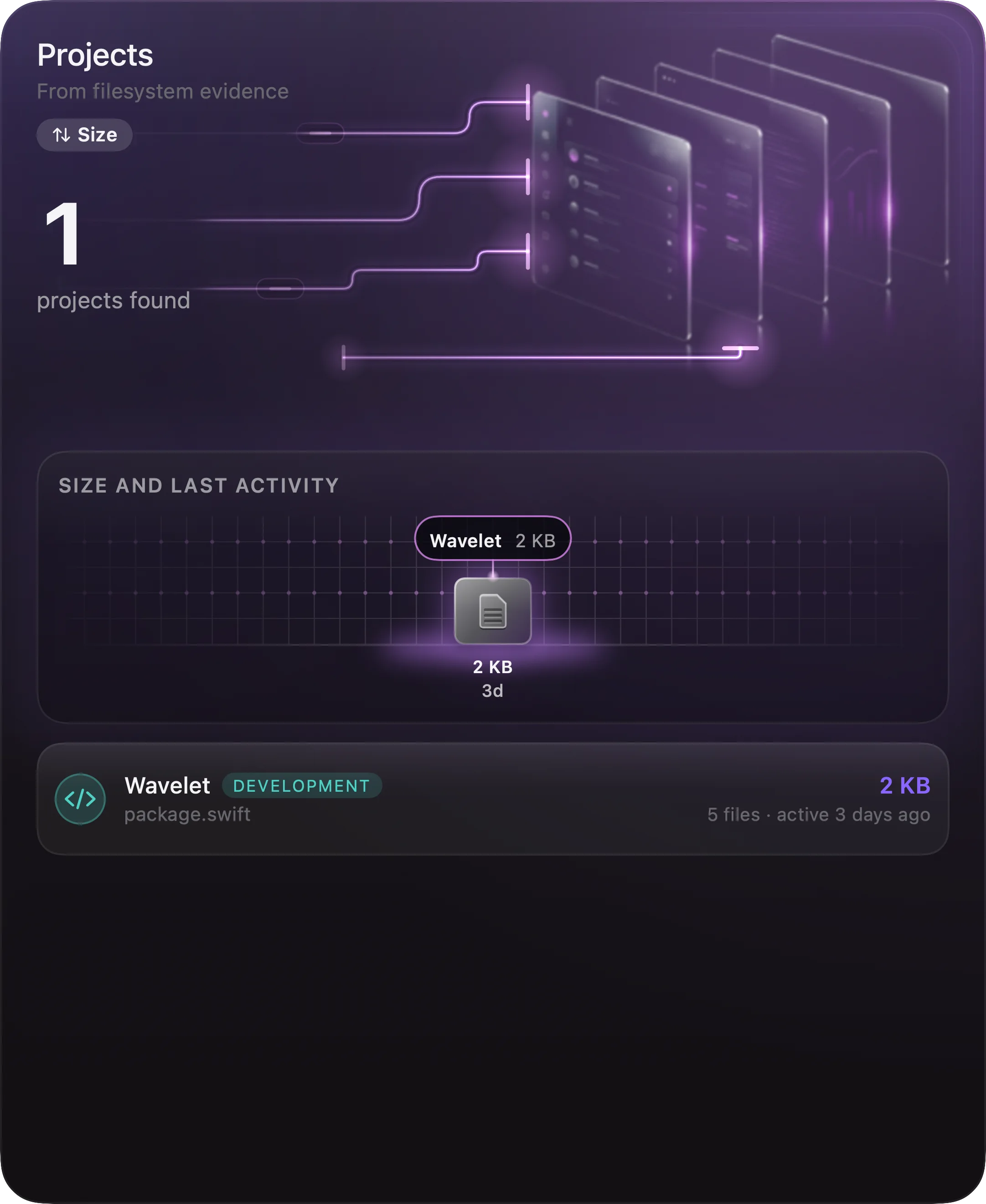
  6. Growing fastest, projects measured

    The folders that took on the most new data, and the projects the index recognises — with the evidence.

    The folders growing fastest
Features

Built for the folder that got out of hand.

A real AppKit table underneath, so fifty thousand entries scroll the way ten do. The rest is what a file manager should have had all along.

NameKindTempoSize
Vessels.wavAudio128 BPM48.2 MB
A001_C003.movVideo—2.41 GB
IMG_4021.HEICPicture—3.8 MB
Package.swiftCode—2 KB
Archive 2024.zipArchive—812 MB

A file list that tells you more before you open anything

Number, name, kind, size, date, tempo, duration. Click, ⇧-click and ⌘-click behave exactly as in Finder. Columns retire gracefully as the pane narrows — the name never gives way.

Moving 214 files 2 of 3 volumes
PauseCancel
Renamed 38 files Undo

One queue, and an undo

Copy, move, rename and trash share a queue you can pause and cancel. Nothing is overwritten. A finished move can be taken back.

ReplaceDateNumber+6
IMG_0421.jpg2026-09-29 Paris 001.jpg
IMG_0422.jpg2026-09-29 Paris 002.jpg
IMG_0423.jpg2026-09-29 Paris 003.jpg

Rename as a pipeline

Nine steps, run in order. See every current name against every new one — conflicts counted — before a byte is written.

Summer edit · 42 items · nothing copied

Order without moving anything

Collections gather paths from anywhere on the machine. Give one a name, a note and a cover — it reads like a record sleeve in the sidebar.

Vessels
128 BPM44.1 kHz
1:42~ estimated tempo is marked4:08

It plays what it lists

Audio and video through one engine. Tempo is trusted when tagged, analysed from the sound when not — and estimates carry a tilde.

rename⌘K
Actions
Rename selection…↩
Collections
Rename recipes12 items
Files
rename-invoices.jsonDocuments

One field over the whole window

⌘K searches actions, your library, your collections and the files in the index — at once, from the keyboard, without touching the disk on every keystroke.

main3 changedVideo project
Medit-v3.prproj2 min ago
Acutdown-30s.movtoday
?notes.txtuntracked
Project fileSession folderFolder layout

Knows a repository from a project

Inside a Git repository the header shows the branch and what changed. When a folder is video, audio, photo, design or code work, a chip says so — and the inspector lists the evidence.

Duplicate hunt

Three passes, and only the last one is expensive.

It reads bytes rather than guesses — and it starts by not reading them at all. Nothing is removed for you; the group is shown, and you decide.

  1. Pass 1 · Size

    Most files rule themselves out

    Sizes shared by fewer than two files are discarded before a single byte is read. A file with a unique size can’t have a twin.

  2. Pass 2 · First and last blocks

    Two small reads, not a whole gigabyte

    What survives is compared on its first and last blocks. Files that differ there differ everywhere — and it cost two small reads.

  3. Pass 3 · Full read

    Only the ones that still agree

    The result is a group of identical copies and the space one of them is costing you. The smallest file worth considering is a setting, so a thousand identical icons never enter the hunt.

What leaves the machine

Nothing, unless you ask it to.

Your files never leave your Mac. The only connections are the daily update check, license activation once you buy, and — only if you choose to sign in — syncing your settings (never your files). There is no telemetry watching how you use it — the trial is the full app, not a demo.

An account is optional — and small

An email and a one-time code, no password. Only preferences follow you: theme, accent, density, dashboard cards. Paths, the index, history and collections stay here.

It says what it wasn’t allowed to read

Refuse access to a folder and the storage view lists it, rather than quietly leaving it out of the totals.

Built to stand still

0 % CPU at rest, measured in folders holding tens of thousands of files. Metadata and tempo are read only for the rows you can see.

Requires

macOS 14 Sonoma or later, on a Mac with Apple silicon (M1 or later).

Built with

Swift 6 and SwiftUI on system frameworks. No Electron, no bundled browser.

Distribution

Direct download, outside the Mac App Store. Signed, notarised, updates in-app.

Command line

--play a file, --collection a list, --storage the dashboard, --settings the preferences.

Licence

Free 15-day trial, then $14 once, for up to 2 Macs. Free updates through 1.x.

Version

1.0.0 — Sparkle checks for updates once a day.

Free for 15 days
$14

Every feature, no limits, for fifteen days. Keep using it and unlock it once — no subscription, no account required to use the app, no upsell inside it.

  • 15-day free trial, no card required
  • $14 once, if you keep it
  • Free updates through 1.x
  • Secure checkout by Lemon Squeezy